 Fintel Analytics
AI Agent Kill Switch: How to Cap Spend and Stop Bad Runs
An AI agent kill switch pauses a pipeline before a bad run becomes an expensive one. Here is how we build spend caps, pause rules and approval gates that hold up in production.
An AI agent kill switch is a single control, checked before every paid model call and every outbound action, that pauses an agent pipeline instantly without a code deploy. It works best when paired with a per-run budget, a daily spend cap and automatic pause rules tied to failure rate. Together they turn an agent from something you hope behaves into something you can stop in one click.
If you own a process that an agent now runs daily, whether prospect research, monitoring or drafting, you will eventually face the same Monday morning. An overnight run looped, retried the same failing step a few hundred times, or sent forty slightly wrong drafts into a queue. The question that matters is not whether it can happen. It is how fast you can stop it and how much it costs you before you do.
This post covers how we build the stop mechanism in practice: what it checks, what triggers it, where a human still approves, and what went wrong in a real build before it worked.
Why Does an AI Agent Kill Switch Matter More Than Another Prompt Tweak?
Because prompts reduce the chance of a bad run, and a kill switch limits the damage of the one that gets through. Those are different jobs, and most pilots only do the first.
The industry numbers point the same way. Gartner predicted in June 2025 that over 40% of agentic AI projects will be canceled by the end of 2027, due to escalating costs, unclear business value or inadequate risk controls. That is a forecast, not an observed rate, but two of its three causes, cost and risk controls, are things you can engineer on day one. The third, unclear value, is why we measure cost per useful output rather than cost per call.
A pattern we see repeatedly is the AI pilot that never reaches production because nobody can answer three questions: what does a run cost, what happens when it is wrong, and who approves the output. A kill switch answers the second one directly. It also forces the first, because you cannot cap spend you do not measure.
The failure modes we plan for are mundane rather than dramatic:
- Retry loops. A step fails, the agent retries, each retry costs money, and nothing ever succeeds.
- Upstream data changes. A source site changes its layout or an API returns empty results, and the agent keeps producing confident output from nothing.
- Silent quality drift. Runs complete and cost normal money, but the outputs are worse than last week.
- Outbound mistakes. Anything that leaves the building, such as an email, a post or a payment instruction, is much harder to undo than a bad row in a table.
📺 Watch: Why It’s So Hard To Build An AI Kill Switch

How Does an AI Agent Kill Switch Work?
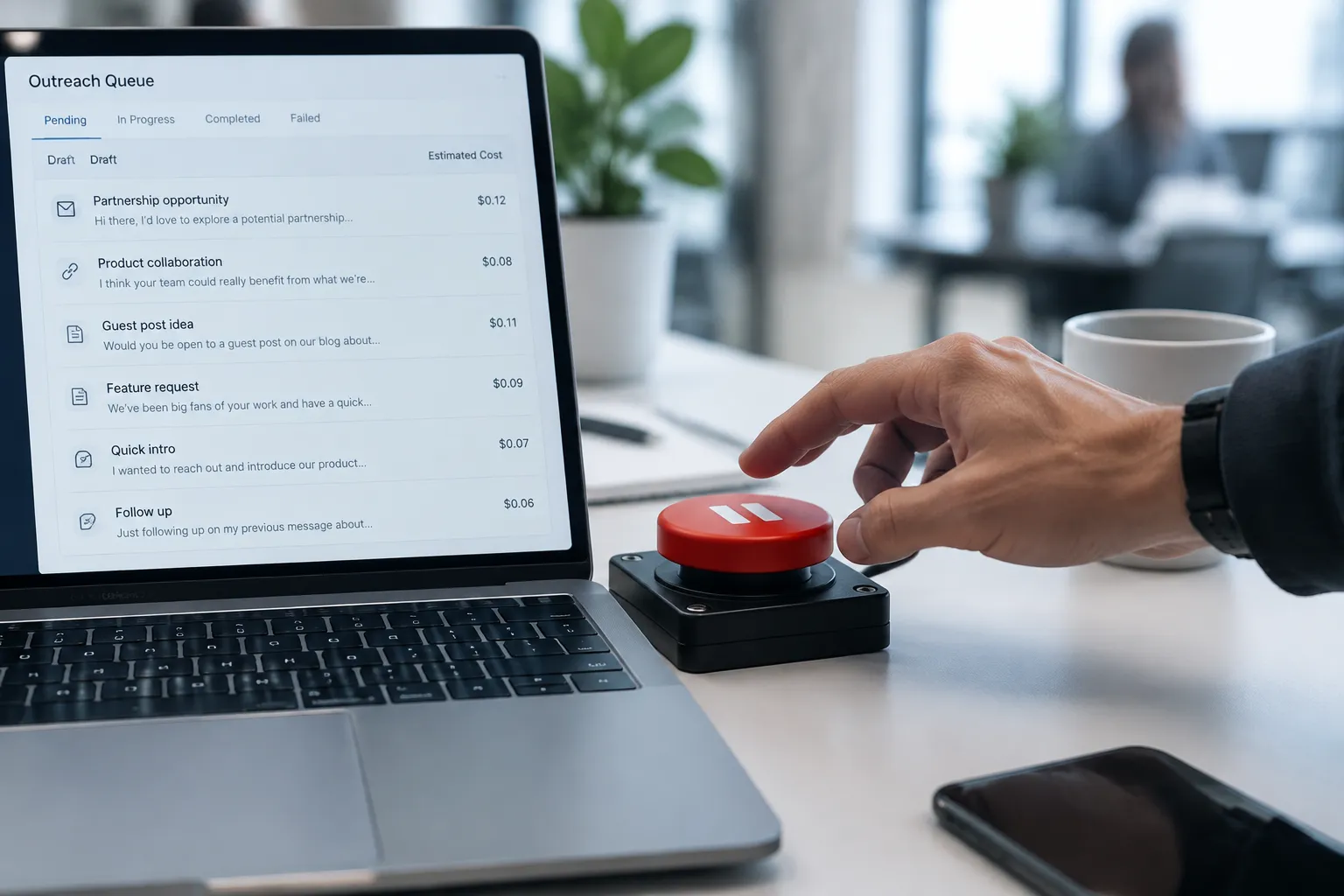
In the systems we ship, it is deliberately boring. It is one row in the database with a paused flag, a reason, who set it and when. Every stage of the pipeline reads that row before it starts work, and again before every paid model call and every outbound action.
The design choices that matter:
It lives outside the code. Pausing must not require a deploy, a developer or a Slack thread. An operator hits a button in the internal tool and the next check sees it. If stopping the agent needs an engineer, it will not be used at 7am on a Saturday.
It fails closed. If the pipeline cannot read the flag, because the database is slow or the call errors, it stops rather than proceeding. This is the opposite of what most teams build first, and the one we insist on.
It is granular. We use three levels. A global pause stops everything. A stage pause stops one step, for example drafting, while research carries on and queues its results. A per-run budget stops a single run that is spending more than it should.
It is non-destructive. Pausing never discards work. In-flight steps finish or are marked as interrupted, the queue is preserved, and resuming picks up where it left off. If pausing loses data, people stop pausing.
Every pause is logged. Who or what paused it, why, what was running, and what each model call had cost up to that point. This is the audit trail, and it is what lets you tell leadership exactly what happened.
In a go-to-market system we built for a pre-seed tech company, the agent finds prospects, finds and verifies contacts, drafts outreach under style rules enforced in code, and runs content publishing. Every model call is costed, and a kill switch pauses the whole pipeline. The control itself is cheap to run: a database read and a counter. The expensive thing is not having it.
What Should Trigger an Automatic Pause?
Manual buttons are necessary but not sufficient. The runs that hurt you happen when nobody is watching, so the system needs to pause itself. We use four triggers, each tied to a measured baseline rather than a guess.
| Trigger | What it watches | How to set the threshold |
|---|---|---|
| Per-run budget | Total model spend inside one run | A multiple of the median cost of recent healthy runs |
| Daily spend cap | Cumulative cost across all runs that day | Your monthly budget divided by working days, plus headroom |
| Consecutive failures | Same step failing repeatedly | Low single digits; retries rarely fix a systemic fault |
| Failure rate | Share of runs in a window ending in error | Slightly above your normal failure rate once stabilised |
The thresholds above are starting points to calibrate against your own run history, not universal numbers. The first two weeks of any new agent should be about collecting that baseline, which is why cost logging comes before the kill switch in the build order.
One rule we hold to: an automatic pause should alert a named person, with the reason, and should never auto-resume. A system that pauses itself and restarts itself is just a retry loop with extra steps.
There is also a cheaper lever than stopping: choosing the right model. In an operations hub we built for an e-commerce brand, routine questions go to a cheap model and only marketing analysis goes to a stronger one, so running costs stay small. A spend cap is a backstop. Routing is what keeps you far from the cap in the first place.
What Went Wrong Before It Worked?
Honesty matters here, because a kill switch does not fix a broken pipeline. It buys you time to fix it.
When we first looked at the prospecting stage of that go-to-market system, only 5% of leads ended up with a contact found, and 86% of runs were failing. Each failed run still spent money on model calls before dying. The kill switch and cost tracking did their job: they stopped the bleeding and made the problem visible, because every failed run had a cost attached to it. But the pause rules alone did not improve anything.
The actual fixes were unglamorous. We reworked how contacts were found and verified, tightened what counted as a valid result at each step, and stopped letting an unverified result flow downstream. After that, leads with a contact found rose from 5% to 86%, failing runs fell from 86% to 14%, and cost per outreach-ready lead dropped from $1.28 to $0.05.
Two lessons we carry into every build:
- Measure cost per useful output, not cost per call. A cheap call that produces nothing usable is the most expensive call you make. The $1.28 to $0.05 change came from fewer wasted runs, not from a cheaper model.
- Failure is a normal state, so design for it. We cover the common causes in more depth in our post on why AI agent pipeline runs fail and how to fix them.
If this is a process your team still runs by hand, or an agent you built that nobody quite trusts yet, see how Fintel Analytics builds tools like this. We design and ship AI agents and internal tools with cost tracking, kill switches and approval steps built in from the start.
Where Does a Human Still Need to Approve?
A kill switch and an approval gate solve different problems, and confusing them is a common mistake. The kill switch stops the whole system when something is wrong. The approval gate decides, output by output, whether something is good enough to leave the building.
Our rule of thumb is to match the level of human control to how reversible the action is.
- Reversible and internal (research notes, scores, summaries): no approval needed, but fully logged.
- Visible but correctable (a draft in a queue): a human gives a yes or no before anything is published. In the e-commerce operations hub, AI pipelines draft blog and social posts for human approval before publishing. The person spends seconds deciding rather than hours writing.
- Irreversible or financial: multiple deliberate locks. In an autonomous trading agent we built, it paper-trades against real live market data and writes every trade to an append-only, hash-chained ledger. It can only move to live execution after hitting a performance target and having four separate locks released by hand. For the full approach, see our post on building an AI trading agent validation that cannot flatter itself.
What still needs a person, even in well-built systems: deciding what good looks like, reviewing a sample of approved outputs for drift, and deciding whether to resume after a pause. We would not hand any of those to the agent.

How Do You Know Your AI Agent Kill Switch Actually Works?
By testing it deliberately, before you need it. A kill switch that has never been pulled is an assumption.
The checks we run on every build:
- Pull it mid-run. Confirm the next paid call does not happen and the queue is intact.
- Break the flag read. Make the database unreachable in a test environment and confirm the pipeline stops rather than continues.
- Trigger the cap on purpose. Run a deliberately expensive job and confirm the per-run budget stops it at the threshold, not after.
- Read the audit trail. Someone who was not involved should be able to reconstruct what happened, what it cost and who resumed it.
- Resume cleanly. Confirm work picks up without duplicate sends or duplicate charges.
Repeat this on a schedule, and again after any significant change to the pipeline. Pair it with a proper evaluation set so you can tell whether outputs are improving or degrading, which we cover in how to evaluate AI agents before production with a golden set.
The simplest test of whether your agent is production-ready: can the person who owns the process tell you, today, what the last run cost, what it produced, and how to stop it? If not, it is still a pilot.
Frequently Asked Questions
Q: What is an AI agent kill switch?
A: It is a control that pauses an AI agent or pipeline immediately, checked before each paid model call and outbound action. It should work without a code deploy, fail closed if it cannot be read, and preserve queued work so the system can resume safely.
Q: How do you put a spending limit on an AI agent?
A: Log the cost of every model call, then enforce a per-run budget and a daily cap in code before each call is made. Set thresholds from your own baseline of healthy runs, and have the system alert a named person and stay paused until a human resumes it.
Q: Is a kill switch the same as human-in-the-loop approval?
A: No. A kill switch stops the whole system when something is wrong, while human-in-the-loop approval reviews individual outputs before they are published or acted on. Production agents need both, with approval strictness matched to how reversible the action is.
Q: What should automatically pause an AI agent?
A: The most useful triggers are a per-run budget breach, a daily spend cap, repeated consecutive failures and a failure rate above your normal baseline. Automatic pauses should alert someone and should never resume on their own.
Q: Do small teams really need this for a simple agent?
A: If the agent spends money per run or sends anything externally, yes. The mechanism is a database row and a check, so it costs very little to build, and it is far cheaper than discovering a looping run after the invoice arrives.
Conclusion
The challenge most operators face is not building an agent that works on a good day. It is running one that fails safely, costs a known amount and can be stopped by the person who owns the process. At Fintel Analytics, we have built exactly this for pre-seed to Series B teams, from go-to-market systems to operations hubs to trading agents, with an AI agent kill switch, cost tracking, approval steps and audit trails in every one. If you have an agent that is close to production but nobody can say what it costs or how to stop it, that is a fixable problem, and fixing it is what turns a pilot into something your team can rely on.