 Fintel Analytics
Over-Broad IAM Grants in BigQuery: Find & Fix Them Now
Over-broad BigQuery IAM grants are the most common—and most quietly dangerous—misconfiguration in fast-growing data teams. Here's how to find them in under five minutes.
Over-broad BigQuery IAM grants let any compromised credential—a leaked service account key, a phished engineer login, a misconfigured CI job—query your entire warehouse instantly. The fix is not complicated, but most teams never run the diagnostic until something goes wrong. This post gives you the queries and the remediation steps to close the gap today.
If you have been building your BigQuery project under time pressure—which describes every growth-stage company we have ever worked with—the IAM policy almost certainly has at least one of three problems: project-level roles that should be dataset-level, service accounts with admin grants they do not need, or basic GCP roles (Editor, Owner) that bleed into BigQuery without anyone realising. None of these show up in a dashboard alert. They just sit there, widening the blast radius until they do not have to.
<br/>Why Over-Broad IAM Grants Are a Bigger Problem Than You Think
The numbers are not abstract. More than 31% of cloud breaches occur due to misconfiguration and manual errors. Human error and misconfiguration caused 40% of total breaches in 2025. And the cost of getting it wrong is accelerating — the global average cost per breach surpassed USD 5 million in 2025.
The BigQuery-specific threat is well-documented by Google itself. Overly permissive IAM roles allow excessive access to sensitive data — an attacker who compromises a principal with broad data access can exfiltrate large volumes of data, and this threat is realised when permissions are granted at project level instead of being restricted to specific datasets or tables.
What makes this particularly nasty in analytics environments is the way it happens. The pattern typically emerges when someone needed access quickly and the permissions were never cleaned up. A contractor needed to run a query in staging. A new data engineer joined and got the same role as everyone else because there was no documented onboarding policy. A scheduled query was authenticated with the same service account as the pipeline that writes raw payment data. Nobody made a bad decision — they just made a fast one, and fast decisions accumulate.
We see this pattern repeatedly in early-stage companies that have scaled faster than their data infrastructure: the warehouse is production-grade, the queries are sophisticated, but the access model still looks like a shared development sandbox. 43% of organisations lack complete visibility into IAM roles across cloud accounts — meaning almost half of teams do not actually know what permissions exist in their own projects.
<br/>
📺 Watch: GCP Identity and Access Management for Beginners - like real-time domain
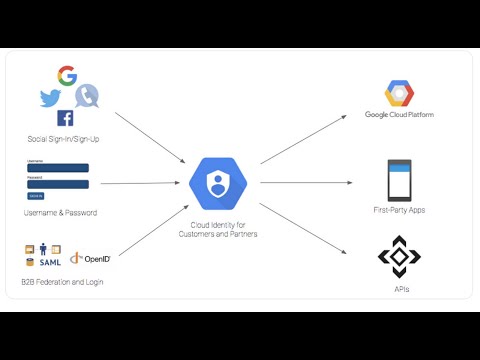
The Three IAM Anti-Patterns That Show Up in Every Audit
Before you run diagnostics, it helps to know what you are looking for. In our work auditing BigQuery environments for fintech and payments companies, three patterns come up in almost every engagement:
1. Basic GCP roles granted at project level
Basic roles (Owner, Editor, Viewer) grant broad permissions across all GCP services, not just BigQuery — an Editor can modify Cloud Storage buckets, Compute Engine instances, and everything else. If someone has Editor on a project "because they needed BigQuery access," that is a security problem masquerading as a convenience choice.
2. bigquery.admin granted to humans or service accounts at project level
Project-level bigquery.admin gives full control over all BigQuery resources in a project. Most users do not need this. Most service accounts definitely do not need this. We have audited projects where an ETL service account had admin because someone copy-pasted a quickstart example three years ago and nobody questioned it since.
3. dataViewer granted on all datasets to avoid permission tickets
Overly broad dataset access happens when teams grant dataViewer on all datasets to avoid permission request tickets — this defeats the purpose of dataset-level isolation. In practice it means an analyst with access to the marketing attribution dataset also has access to the raw payments ledger and the KYC document store.
How to Find Over-Broad IAM Grants in BigQuery (Runnable Diagnostics)
These queries run against BigQuery's INFORMATION_SCHEMA and the GCP IAM API export. Run them in your project and check the results against the patterns above.
Step 1 — Audit project-level IAM bindings via Cloud Asset Inventory
The most reliable way to pull project-level IAM bindings into BigQuery is via a Cloud Asset Inventory export. If you do not have one set up, the fastest path is the gcloud CLI:
gcloud asset search-all-iam-policies \
  --scope=projects/YOUR_PROJECT_ID \
  --query="policy.role:roles/bigquery" \
  --format="table(resource, policy.bindings.role, policy.bindings.members)"
This gives you every BigQuery role binding in the project. What you are looking for:
- Any binding where the role is
roles/bigquery.adminand the member is a human user or a service account you recognise as an ETL/pipeline account - Any binding where the role is
roles/editororroles/owner— these implicitly grant BigQuery access - Any member containing
allUsersorallAuthenticatedUsers
Step 2 — Find datasets with over-broad access using INFORMATION_SCHEMA
This query identifies datasets where access is granted at dataset level to more than a threshold number of principals — a signal that dataset-level grants have become a substitute for proper access design:
SELECT
  schema_name AS dataset_id,
  COUNT(DISTINCT grantee) AS grantee_count,
  STRING_AGG(DISTINCT privilege_type ORDER BY privilege_type) AS privileges_granted
FROM
  `region-eu.INFORMATION_SCHEMA.SCHEMA_PRIVILEGES`
GROUP BY
  schema_name
ORDER BY
  grantee_count DESC
LIMIT 20;
Adjust region-eu to match your dataset region (region-us, us-central1, etc.). Any dataset with a high grantee_count — especially where privileges_granted includes write or admin access — is a candidate for remediation.
Step 3 — Identify service accounts with excessive grants
In production projects, service accounts should have the narrowest possible scope. This query surfaces INFORMATION_SCHEMA-level table grants and flags service account principals:
SELECT
  grantee,
  table_schema AS dataset_id,
  table_name,
  privilege_type
FROM
  `region-eu.INFORMATION_SCHEMA.TABLE_PRIVILEGES`
WHERE
  LOWER(grantee) LIKE '%gserviceaccount.com'
ORDER BY
  privilege_type DESC,
  table_schema;
If your pipeline service accounts appear with INSERT, UPDATE, or broad SELECT grants across tables they do not write to or read from, those grants should be scoped down or removed.
Step 4 — Check for public dataset exposure
BigQuery datasets can be made public, allowing anyone to query them — this is useful for open data projects, but can lead to data leaks when the dataset contains sensitive data and is typically unintended.
To check whether any of your datasets have been made public, run this in the gcloud CLI for each dataset:
bq show --format=prettyjson YOUR_PROJECT:YOUR_DATASET | \
  python3 -c "import sys, json; \
    bindings = json.load(sys.stdin).get('access', []); \
    public = [b for b in bindings if b.get('specialGroup') in ['allUsers','allAuthenticatedUsers']]; \
    print('PUBLIC:', public if public else 'None found')"
Anything that returns a result here is a critical finding.
Running that query for one dataset is manageable. Auditing every dataset, every service account binding, and every table grant across a whole project manually is not — fintel-scan is a free, open-source MIT CLI that runs this check and fourteen others locally, without a warehouse connection: uvx fintel-scan.
<br/>

How to Fix Over-Broad Grants Without Breaking Everything
The fix is not a single action — it is a migration from convenience-first access to least-privilege access. Here is the order we recommend, based on what actually ships cleanly in a live production project:
Phase 1 — Immediate risk reduction (same day)
Remove any allUsers or allAuthenticatedUsers bindings. This is non-negotiable and has no operational downside. If a dataset was made public accidentally, no legitimate business process depends on it being public.
Revoke roles/owner and roles/editor from any principal whose only stated need was BigQuery access. Never grant BigQuery Admin or Data Editor at the project level to a human or a service account — project-level roles should be read-only or metadata-focused, and real data access permissions must be applied at the dataset level.
Phase 2 — Service account remediation (this sprint)
For each ETL or pipeline service account, determine:
- Which datasets does it write to? Grant
roles/bigquery.dataEditoron those datasets only. - Which datasets does it read from? Grant
roles/bigquery.dataVieweron those datasets only. - Does it need to create jobs? Grant
roles/bigquery.jobUserat project level.
Nothing else. When predefined roles are too broad, create custom roles with exactly the permissions you need — for example, a service account that can run queries and stream data but cannot create or delete tables.
Phase 3 — IAM as code (next quarter)
The solution to permission sprawl is treating IAM as code: define permissions in Terraform or similar, require review for changes, and audit regularly. Every IAM binding that is not in version control is one that will be forgotten, duplicated, or inherited by the wrong principal six months from now.
If you use dbt in your project, the same service account pattern applies: your dbt runner should have dataEditor on the datasets it materialises into and dataViewer on the datasets it reads from — nothing broader. If you are not sure which datasets your dbt runner touches, read our post on dbt Source Schema Drift: Find It Before It Breaks Production — the lineage audit there surfaces exactly the dataset dependencies you need.
For row- and column-level controls layered on top of correct IAM, see our post on BigQuery Access Control: Row & Column Security Done Right, which covers policy tags, row-level access policies, and dynamic data masking in detail.
<br/>How to Stop It Recurring
Fixing what exists is the first problem. The second problem is that access sprawl re-accumulates the moment you stop actively managing it. The three controls that actually prevent re-accumulation:
Scheduled IAM audit query — Put the diagnostic query from Step 2 above into a scheduled BigQuery query that runs weekly and writes results to an audit table. Add a Looker Studio or Holistics alert that fires when any dataset grantee count exceeds your defined threshold.
Principle of least privilege as an onboarding default — Every new principal (human or service account) gets the minimum required access on a dataset-by-dataset basis. "Give them what the last person had" is the fastest path back to sprawl.
Time-bounded access for contractors and temporary grants — BigQuery IAM supports condition-based expiry. Use it. A contractor who needed access last quarter should not still have it this quarter because nobody remembered to revoke it.
<br/>Frequently Asked Questions
Q: What is the most dangerous over-broad BigQuery IAM grant?
A: Project-level roles/bigquery.admin granted to a service account is the most dangerous single misconfiguration. If that service account's key is compromised, an attacker has full control over every BigQuery resource in the project — datasets, tables, jobs, and metadata. Revoke it immediately and replace with dataset-scoped grants.
Q: How do I find which users have BigQuery access in my project?
A: Run gcloud asset search-all-iam-policies --scope=projects/YOUR_PROJECT_ID --query="policy.role:roles/bigquery" to list all BigQuery-related IAM bindings. For dataset-level grants, query INFORMATION_SCHEMA.SCHEMA_PRIVILEGES in each region where your datasets live.
Q: Can I fix over-broad BigQuery IAM grants without disrupting live pipelines?
A: Yes, if you remediate in phases. Start by removing allUsers / allAuthenticatedUsers bindings (no pipeline depends on these). Then audit service accounts one at a time, confirm what they actually access via INFORMATION_SCHEMA, and narrow their grants before revoking the broad one. Test in staging first where possible.
Q: Should I use predefined BigQuery roles or custom roles?
A: Predefined roles (bigquery.dataViewer, bigquery.dataEditor, bigquery.jobUser) cover the majority of use cases correctly. Create custom roles only when a predefined role grants permissions you explicitly do not want a principal to have — for example, a service account that should stream data but never delete tables.
Q: How often should I audit BigQuery IAM grants?
A: At minimum, quarterly — but a weekly scheduled query against INFORMATION_SCHEMA.SCHEMA_PRIVILEGES costs almost nothing and catches drift before it compounds. Any time a team member leaves or a contractor engagement ends, run a targeted audit immediately rather than waiting for the next scheduled cycle.
Over-broad IAM grants are not a theoretical risk — they are the most common finding in every BigQuery environment we audit at Fintel Analytics, and they are almost always the result of fast decisions made under delivery pressure rather than negligence. At Fintel Analytics, we have helped fintech, payments, and e-commerce companies identify and remediate exactly this kind of access sprawl — building the IAM policies, Terraform modules, and audit pipelines that make least-privilege the path of least resistance. If your BigQuery project has grown faster than your access controls, that gap is auditable, fixable, and worth fixing before an investor, regulator, or attacker finds it first.