 Fintel Analytics
Postgres Unused Indexes: How to Find and Drop Them Safely
Postgres unused indexes slow every write and bloat storage. Here is the SQL to find them, the traps that make idx_scan = 0 misleading, and how to drop them safely.
To find Postgres unused indexes, query pg_stat_user_indexes for indexes where idx_scan is 0, exclude anything that backs a primary key, unique or other constraint, and confirm the statistics are old enough to cover a full business cycle. Then drop the confirmed candidates with DROP INDEX CONCURRENTLY so you do not block writes. The query takes under five minutes to run; the judgement about which results to trust is what this post is about.
Most analytics and data teams do not own the application database, but they live with the consequences of it. The Postgres instance behind your product is usually the source for your warehouse replication, your BI tool's operational reports and your reconciliation jobs. When that database carries indexes nobody uses, every insert and update pays for them, replication lag creeps up, and the dashboards that query it get slower for reasons that never show up in the query plan. A pattern we see repeatedly in growth-stage companies is an application database that has accumulated years of indexes added during incidents and never reviewed, because nobody could prove which ones were safe to remove.
Why Do Postgres Unused Indexes Hurt Performance?
An index is not free to keep. Unused indexes add overhead to INSERT, UPDATE and DELETE operations, because Postgres has to maintain every index on a table each time a row changes. They also take disk space, compete for shared buffer cache with indexes that matter, and make base backups and restores larger and slower.
For a read-heavy reporting database this is mostly a storage question. For a transactional table such as payments, orders or ledger entries, it is a write-throughput question, and that is where it bites. If you are loading that table through change data capture into a warehouse, slow writes and bloated WAL show up downstream as late data.
Before hunting for individual indexes, triage by table. This query shows where index size outweighs the table itself:
SELECT
  relname AS table_name,
  pg_size_pretty(pg_table_size(relid)) AS table_size,
  pg_size_pretty(pg_indexes_size(relid)) AS total_index_size,
  round(pg_indexes_size(relid)::numeric / NULLIF(pg_table_size(relid), 0), 2) AS index_to_table_ratio
FROM pg_stat_user_tables
ORDER BY pg_indexes_size(relid) DESC
LIMIT 20;
A ratio well above 1 on a write-heavy table is a strong hint that something is over-indexed. Start your audit there.
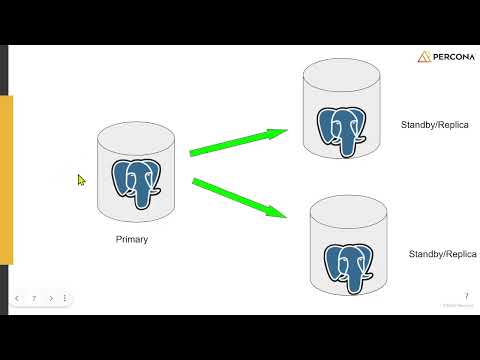
📺 Watch: Analysis of Unused Indexes in PostgreSQL Cluster by Jobin Augustine
How Do You Find Unused Indexes in Postgres?
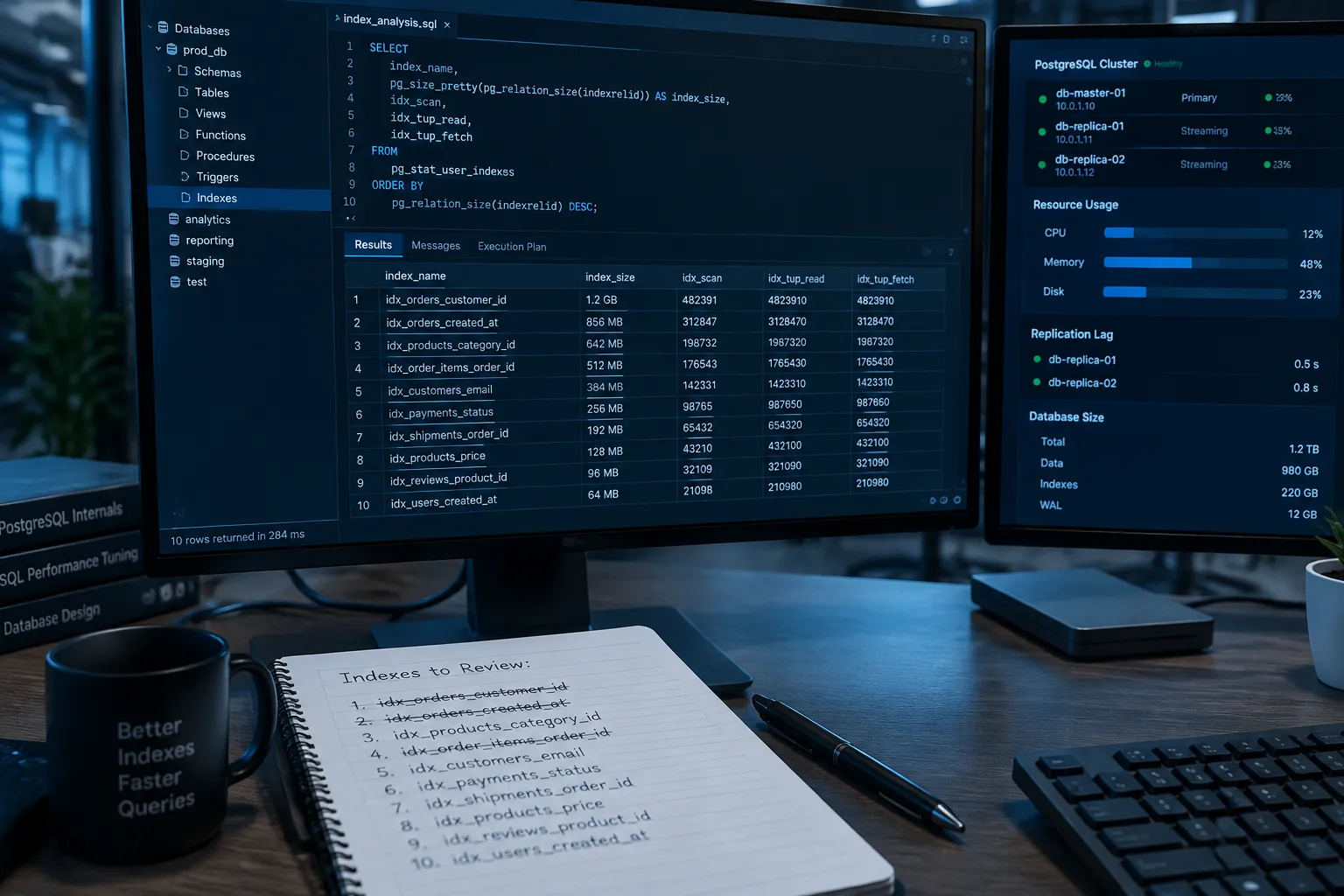
The core diagnostic is the cumulative statistics view pg_stat_user_indexes, which counts how many times each index has been scanned. The naive version is one line: select from pg_stat_user_indexes where idx_scan = 0 and not indisunique. In practice you want size, the full definition, and a filter that excludes anything backing a constraint:
SELECT
  s.schemaname,
  s.relname AS table_name,
  s.indexrelname AS index_name,
  s.idx_scan,
  pg_size_pretty(pg_relation_size(s.indexrelid)) AS index_size,
  pg_get_indexdef(s.indexrelid) AS definition
FROM pg_stat_user_indexes s
JOIN pg_index i ON i.indexrelid = s.indexrelid
WHERE s.idx_scan = 0
  AND NOT i.indisunique
  AND NOT EXISTS (
    SELECT 1 FROM pg_constraint c WHERE c.conindid = s.indexrelid
  )
ORDER BY pg_relation_size(s.indexrelid) DESC;
Save the definition column somewhere before you do anything else. It is your rollback script.
Now check how much history those zeros represent:
SELECT datname, stats_reset, age(now(), stats_reset) AS stats_age
FROM pg_stat_database
WHERE datname = current_database();
If stats_age is a few days, the zeros mean nothing. Check that the stats cover at least a month of usage, depending on your application; if they do not, postpone the analysis.
On Postgres 16 and later you get a better signal. The pg_stat_user_indexes view gained a last_idx_scan column holding the timestamp of the last scan, so you can look for indexes that have gone quiet, not just indexes at exactly zero:
SELECT s.relname, s.indexrelname, s.idx_scan, s.last_idx_scan,
       pg_size_pretty(pg_relation_size(s.indexrelid)) AS index_size
FROM pg_stat_user_indexes s
JOIN pg_index i ON i.indexrelid = s.indexrelid
WHERE NOT i.indisunique
  AND (s.last_idx_scan IS NULL OR s.last_idx_scan < now() - interval '90 days')
ORDER BY pg_relation_size(s.indexrelid) DESC;
A NULL here means no scan since the last stats reset, so the stats_age check still applies.
Why Is idx_scan = 0 Not Enough to Drop an Index?
This is where teams get hurt. A zero is evidence, not proof. There are four traps, and we have seen each of them cause an incident.
1. Replicas keep their own statistics. A common setup sends BI queries and heavy exports to a read replica. A replica's stats only count scans on that replica, so you should not drop an index from the primary based on replica stats alone. The reverse is the trap that matters for analytics teams: the primary shows zero scans because every report runs on the replica. Run the query on the primary and every replica, and only act on indexes that are idle everywhere.
2. Stats resets and restarts. Counters reset after pg_stat_reset(), crash recovery and some failovers or major upgrades. Managed Postgres services can do this without telling you. Always check stats_reset first.
3. Rare but critical queries. Month-end close, quarterly regulatory extracts and annual audits may each use an index once a period. Some indexes are used only during rare events like end-of-month reporting, and those should not be dropped. If your finance team runs reconciliations on a monthly cycle, a 30-day window is not enough. Ask them.
4. Foreign key indexes. An index on a referencing column may show no scans because no query filters on it, yet it is what keeps deletes and updates on the parent table fast. Without it, validating the constraint on a key change can force sequential scans. Check before dropping:
SELECT conrelid::regclass AS table_name, conname, pg_get_constraintdef(oid) AS definition
FROM pg_constraint
WHERE contype = 'f'
  AND NOT EXISTS (
    SELECT 1 FROM pg_index i
    WHERE i.indrelid = conrelid
      AND (i.indkey::int2[])[0:cardinality(conkey) - 1] @> conkey::int2[]
  );
This lists foreign keys with no supporting index at all, which is the opposite problem and worth knowing about while you are in here.
Running those queries for one database is fine. Checking every model in a project is not, and your dbt project is usually where the downstream cost of a slow source database lands. The pg_stat check needs a live connection, so it stays a manual job, but for the dbt side, fintel-scan is a free, open-source (MIT) CLI that runs a set of static checks on a project locally, with no warehouse connection: uvx fintel-scan
How Do You Spot Duplicate and Invalid Indexes?
Zero-scan indexes are only one category. Two others are cheaper wins because they need no usage history to justify dropping.
Exact duplicates, the same columns, operator classes and predicate under different names, usually come from two engineers fixing the same slow query months apart:
SELECT
  indrelid::regclass AS table_name,
  array_agg(indexrelid::regclass) AS duplicate_indexes
FROM pg_index
GROUP BY indrelid, indkey::text, indclass::text, indoption::text,
         COALESCE(indexprs::text, ''), COALESCE(indpred::text, '')
HAVING count(*) > 1;
Invalid indexes are left behind when a CREATE INDEX CONCURRENTLY fails partway. They are maintained on every write but never used for reads:
SELECT indexrelid::regclass AS index_name, indrelid::regclass AS table_name
FROM pg_index
WHERE NOT indisvalid;
In one engagement with a payments company, the first pass over a busy transactions table turned up an invalid index from an aborted deploy and a near-duplicate pair on the same reference column. Neither needed a usage window to justify removal, and removing them was an easy conversation with the application team.
How Do You Drop Postgres Unused Indexes Safely?
A plain DROP INDEX takes an ACCESS EXCLUSIVE lock on the table, which blocks reads and writes while it waits behind any long-running query. On a live table that is an outage. Use DROP INDEX CONCURRENTLY for each index in your confirmed list.
SET lock_timeout = '3s';
DROP INDEX CONCURRENTLY IF EXISTS public.idx_transactions_legacy_ref;
Three practical rules:
- It cannot run inside a transaction block, so migration tools that wrap everything in a transaction need a non-transactional step for this.
- If it fails, it can leave an invalid index behind. Re-run the invalid index query above and clean up.
- Drop one index per table per day and watch your slow query log. If something regresses, you recreate from the saved definition using CREATE INDEX CONCURRENTLY.
The decision framework we use is simple. Drop immediately if invalid or an exact duplicate. Drop after confirmation if zero scans on the primary and every replica across a full business cycle, with no foreign key or scheduled-job dependency. Keep and document if the usage is rare but real. Anything else waits for more data.

How Do You Stop Unused Indexes Coming Back?
A one-off cleanup decays. The fix is to make index usage observable over time, which is what the built-in view cannot do on its own because it only holds a running counter.
Snapshot the counters on a schedule and land them in your warehouse alongside the rest of your operational metadata:
CREATE TABLE IF NOT EXISTS ops.index_usage_snapshot (
  captured_at timestamptz,
  schemaname text,
  relname text,
  indexrelname text,
  idx_scan bigint,
  index_bytes bigint
);

INSERT INTO ops.index_usage_snapshot
SELECT now(), schemaname, relname, indexrelname, idx_scan, pg_relation_size(indexrelid)
FROM pg_stat_user_indexes;
Run the insert weekly from your orchestrator. An index whose counter has not moved across a full cycle of snapshots is a candidate, and a counter that drops between snapshots tells you the stats were reset, so you can discard that window instead of trusting it. This also gives you total index bytes over time, a number worth putting on an engineering dashboard.
Two habits keep the problem from recurring:
- Review indexes in the migration pull request. Every new index should state which query it serves. Reviewers can then ask for the matching drop when the query is retired.
- Check BI-driven load before adding indexes. Many indexes are added to rescue a slow dashboard query that should have been fixed at the modelling layer. Our guide to finding slow Postgres queries caused by your BI tool shows how to separate those cases, and often the better fix is a pre-aggregated model, not another index. If your team is weighing that trade-off, explore our services to see how we build semantic layers that take reporting load off the application database.
Frequently Asked Questions
Q: How do I find unused indexes in Postgres?
A: Query pg_stat_user_indexes for rows where idx_scan = 0, exclude indexes that back primary key, unique or other constraints, and check pg_stat_database.stats_reset to confirm the statistics cover enough history. On Postgres 16 and later you can also filter on last_idx_scan.
Q: Is it safe to drop an index with zero scans?
A: Not automatically. Zero scans only counts usage on the server you queried since the last stats reset. Check every replica, wait through at least one full business cycle including month-end jobs, and confirm the index does not support a foreign key before dropping it.
Q: How long should I wait before dropping an unused index?
A: A common rule of thumb is at least a month of normal production traffic, longer if you have quarterly or annual reporting that depends on the table. The right window is whatever covers your slowest regular business cycle.
Q: Do unused indexes slow down Postgres?
A: Yes, on writes. Every INSERT, UPDATE and DELETE must maintain every index on the table, so unused indexes add overhead without helping any query. They also use disk space and buffer cache, and make backups larger.
Q: What is the safest way to drop an index in Postgres?
A: Use DROP INDEX CONCURRENTLY with a short lock_timeout, outside a transaction block. Save the output of pg_get_indexdef first so you can recreate the index with CREATE INDEX CONCURRENTLY if a query regresses.
Conclusion
Cleaning up Postgres unused indexes is simple to start and easy to get wrong: the query is one SELECT, but the safe answer depends on replicas, stats age, constraints and the reporting calendar. At Fintel Analytics, we have helped payments, fintech and e-commerce teams audit the databases behind their analytics, move reporting load into properly modelled warehouse layers, and put monitoring in place so these problems are caught by a schedule, not an incident. If your source database is getting slower and nobody can say which indexes are safe to remove, that is a fixable problem, and the fix is usually faster than the next emergency index.