 Fintel Analytics
Timezone Errors in Financial Reporting: Fix Your Day Boundaries
Why finance and ops report different daily totals for the same transactions, and how to fix timezone errors in BigQuery and dbt with one governed reporting date.
Timezone errors in financial reporting happen when timestamps stored in UTC are cut into calendar days using the wrong timezone, so the same transaction lands on different dates in different reports. The fix is to store every event in UTC, convert it to a business date once in a single governed model with an explicit IANA timezone, and make every dashboard read that one reporting date column.
If your finance team's daily revenue never quite matches the operations dashboard, and the gap is small, inconsistent and mysteriously worse on some days, timezone logic is one of the first things we check. It rarely makes headlines, because nothing crashes. The numbers are just quietly wrong by a few transactions at the edge of every day. Those errors compound at month-end close, in reconciliation, and in any board pack that was assembled from more than one source.
This post covers where these errors come from, how to prove that is your problem in an afternoon, and how to fix it permanently in BigQuery and dbt. It also gives you a decision framework for the question most teams never answer explicitly: whose day is it?
Why Do Timezone Errors in Financial Reporting Happen?
They happen because every layer of a modern data stack makes its own timezone assumption, and nobody writes those assumptions down.
Start with the warehouse. In BigQuery, if no time zone is specified, the default time zone, UTC, is used by date functions. That includes the everyday ones: CURRENT_DATE, DATE(), and conversions from timestamp to datetime. Casting a timestamp to a datetime effectively truncates it as of the default time zone, so even an innocent CAST quietly applies UTC.
The consequence is simple and easy to underestimate. The same instant is two different dates in two time zones. A card payment made at 11:30pm in Los Angeles is already the next day in Tokyo, and it is the next day in UTC for any evening purchase on the US West Coast. If your finance team closes the books on a London or New York calendar and your pipeline buckets by UTC, a slice of every day's volume belongs to the wrong day.
Three other mechanisms make it worse:
- DATETIME columns carry no zone at all. A DATETIME does not store time zone information, so two source systems in different regions can write identical DATETIME values for different moments. By the time the data reaches your warehouse, nobody can tell which was which.
- BI tools add their own conversion. Many dashboards convert timestamps to the viewer's browser or workspace timezone on top of whatever the SQL already did. Double conversion is common and very hard to spot by eye.
- Spreadsheets bring their own convention. Manually keyed or exported dates arrive as local-time strings with no offset. A pattern we see repeatedly is a critical operations sheet where half the rows are in the ops team's local time and half were pasted from a UTC export.
None of these is a bug in the strict sense. Each is a reasonable default. The failure is that no one owns the decision, so the business ends up with several silent decisions that disagree.
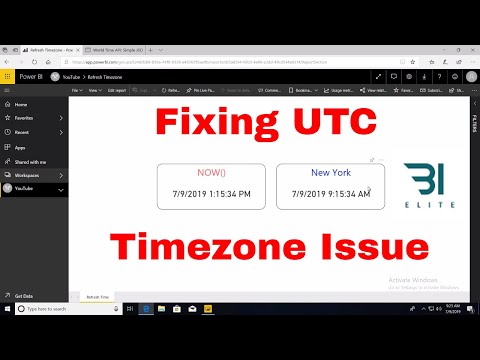
📺 Watch: Showing Specific Timezones in Power BI Service (Last Refreshed Time)
Where Do Day-Boundary Errors Do the Most Damage in Fintech?
They do the most damage wherever money is grouped by day and compared with something else. In payments and financial services, that list is long:
- Daily volume and revenue reporting. Finance reports one number, the ops dashboard reports another, and leadership does not know which to believe. This is the classic "same metric, different numbers" problem, and a timezone mismatch is often the root cause rather than any real data disagreement.
- Reconciliation. Your ledger, your PSP report and your bank statement each cut the day at a different cut-off. Genuine breaks get buried in a pile of timing differences that analysts learn to wave through. We rebuilt one reconciliation process from a 30 to 50 minute manual run into an automated SQL pipeline that completes in under 3 seconds. A large part of making it trustworthy was modelling cut-off logic explicitly, so that timing differences were classified and explained rather than left as noise. Once the noise is gone, real discrepancies stand out.
- Month-end and quarter-end close. A transaction at 11:45pm on the last day of the month flips between periods depending on whose clock is used. Small in count, painful in audit.
- Daily limits, SLAs and fee tiers. Any rule of the form "per day" or "per calendar month" needs a defined timezone, otherwise your analytics will disagree with what the product actually enforced.
- FX and rate lookups. Joining a transaction to a daily rate on the wrong date produces small but systematic valuation differences, which then surface as unexplained FX gains and losses.
The dangerous property of all five is that the error is small enough to rationalise. A handful of transactions out of thousands does not trigger an alarm. But the damage to trust is out of proportion to the size of the number. Industry survey data published for 2025 planning found 67% of organisations do not completely trust the data they use for decision-making (Precisely, 2025). Teams that cannot explain a one-day discrepancy in a simple total tend to stop trusting the harder numbers too.
There is a financial angle as well. A 2025 IBM Institute for Business Value report noted that over a quarter of organisations estimate they lose more than USD 5 million annually to poor data quality. Timezone logic is only one contributor, but it is a cheap one to eliminate.

How Do You Diagnose a Timezone Problem in an Afternoon?
You diagnose it by looking at where the variance sits within the day, not how big it is. Real data disagreements are scattered. Timezone disagreements cluster at the edges.
Here is the sequence we run when a client says two reports will not agree:
- Pick one day and one metric. Take a single recent day of transaction count or volume from the two reports that disagree. Do not start with the month.
- Pull the transaction-level rows behind each number. Export the IDs included in each report and diff the two lists.
- Look at the timestamps of the differing rows. If most of the missing or extra transactions sit within a few hours of midnight UTC, or midnight in your business timezone, you have found it. If the offset is exactly your business timezone's distance from UTC, that confirms it.
- Check whether the gap changes on daylight saving weeks. A discrepancy that shifts by an hour twice a year points to hardcoded offsets such as +1 or -5 instead of named timezones.
- Audit the SQL for implicit assumptions. Search your models and BI tool queries for CURRENT_DATE with no argument, DATE() on a timestamp with no zone, CAST AS DATE, DATETIME(ts) with no zone, and DATE_TRUNC on timestamps. Each one is silently choosing UTC.
- Check column types at the source. List every date-like column that is DATETIME, a string, or a spreadsheet value, and ask what timezone each source system actually writes in.
In practice this audit takes an analyst a few hours on a typical startup stack. At the end you will have a list of every place the business is making an undocumented timezone decision.
How Do You Fix Timezone Errors in BigQuery and dbt?
You fix them by making the timezone decision once, in one model, and making it impossible for downstream code to decide again. The design has four parts.
1. Store event time as TIMESTAMP in UTC and never discard it. In staging models, parse every source timestamp into a proper TIMESTAMP with its true zone applied at the point of ingestion. For sources that send local-time strings, convert them using the source system's known zone, once, in staging. Keep the original string in a separate column for lineage.
2. Derive a single reporting date, with an explicit zone. In an intermediate model, add a reporting_date column built from the timestamp and a named business timezone. Use IANA names such as Europe/London or America/New_York, not fixed offsets. With timestamps, BigQuery handles the conversion under the hood, so you do not need to adjust hours manually or consider daylight savings. That only works if you give it a named zone. The pattern looks like this:
-- Wrong: UTC silently decides which day a late-evening payment belongs to
SELECT DATE(created_at) AS txn_date FROM payments

-- Right: the business timezone decides, and the choice is visible
SELECT DATE(created_at, 'Europe/London') AS reporting_date FROM payments
Always pass the time zone when you turn a timestamp into a date, or the default, UTC, decides which day an evening order belongs to.
3. Wrap it in a macro and ban the alternatives. Put the conversion in one dbt macro that takes the column and the zone as arguments, with the default zone held in a project variable. If you are unsure whether a macro or a persistent SQL function is the right home for it, we compared the trade-offs in dbt Macros vs Persistent SQL UDFs in BigQuery. Then add a CI check that fails the build if any mart model calls DATE(), CURRENT_DATE() or CAST AS DATE directly on a timestamp column.
4. Expose only the governed date in the semantic layer. Your BI layer should read reporting_date and nothing else for day-level grouping. Configure the BI tool's own timezone setting to avoid double conversion. In Holistics, as with Looker, the metric and dimension definitions live in the modelling layer, so the date logic is written once and every dashboard inherits it. As an official Holistics BI partner, we usually implement this as part of the semantic layer rather than as a patch on individual reports.
If you're looking to implement this in your organisation, explore how Fintel Analytics approaches this. We work with businesses globally to design and deliver exactly this kind of governed metric layer.
Then add tests that prove the fix holds:
- A singular dbt test that the sum of transactions by reporting_date equals the sum at source for the same window.
- A test that no timestamp column in a staging model is typed as DATETIME unless it is explicitly documented as local time.
- An accepted-values test on the timezone column wherever entities carry their own zone, such as merchants or legal entities.
If some of your date logic currently lives in spreadsheets, migrate it at the same time. Our guide to moving finance logic from spreadsheets into dbt covers how to do that without breaking the finance team's workflow. In one such migration, moving calculations out of spreadsheets and into dbt models removed a whole class of recurring manual errors and cut weekly maintenance time by 30 minutes.
Whose Day Is It? A Decision Framework for Choosing Your Reporting Timezone
The technical fix is the easy part. The harder part is deciding which timezone defines the day for each audience. Teams that skip this step end up with the same argument six months later.
Use this framework:
- Finance and accounting: the timezone of the legal entity or the one your accounting policy specifies. This defines period boundaries for close and audit, and it should never change quietly.
- Regulatory and scheme reporting: whatever the regulator, card scheme or banking partner specifies. Treat this as non-negotiable and document the source of the rule.
- Operations and support: the local timezone of the site or team being measured. A Manila support team wants to see its own day.
- Product and engineering: UTC. It is unambiguous and matches logs and event data.
- Board and investor reporting: one nominated timezone, stated on the report, matching finance.
From this, two rules keep things sane. First, keep one canonical reporting_date for finance and executive metrics, with its zone documented. Second, if operations need a local view, expose it as a separate, clearly named column such as local_date, never as a silent override. A dashboard that mixes the two without labels recreates the original problem.
Write the decision down in your dbt model descriptions. If your marts have no documentation today, this guide to finding undocumented dbt models shows how to find them and where to start.

What Is the Business Case for Fixing It Now?
The business case is that the fix is small and contained, and the cost of leaving it grows with every report built on top of the problem.
In our experience with early-stage and Series A companies, this is a contained piece of work. It is a diagnosis, a handful of models, a macro, a few tests and a semantic layer change, not a re-platform. The payoff is disproportionate:
- Fewer reconciliation arguments. When timing differences are explained by design rather than by analyst memory, genuine breaks become visible. One capital reconciliation engagement we delivered surfaced a $25M discrepancy that had gone undetected. At market borrowing rates, that gap was costing over $6,000 per day. Clean, explicit date logic is part of what makes that kind of finding possible, because there is less noise to hide in.
- Faster reporting. One client's weekly executive reporting took 90 minutes of manual work, partly to reconcile numbers that disagreed at the edges. It was replaced by a live dashboard updated hourly with zero manual effort.
- Cleaner due diligence. Investors and auditors test whether your metrics can be reproduced. A documented, tested reporting date is a quick win in that conversation.
- Safer foundations for automation. Any alerting, forecasting or AI workflow you build later will inherit whatever date logic sits underneath it. Fixing it before you build on it is far cheaper than fixing it after.
The cheapest time to settle this was when you built your first revenue dashboard. The second cheapest is before your next close.
Frequently Asked Questions
Q: Why do my daily totals not match between reports?
A: The most common cause is that each report groups transactions into days using a different timezone. Check whether the differing transactions sit close to midnight in UTC or in your business timezone. If they do, the cause is timezone logic rather than missing data.
Q: Should I store timestamps in UTC or local time?
A: Store event time as a UTC timestamp, and derive local or business dates from it using a named timezone. UTC is unambiguous and has no daylight saving gaps or overlaps. Local time should be a calculated column, not the stored source of truth.
Q: What is the difference between TIMESTAMP and DATETIME in BigQuery?
A: A TIMESTAMP represents an absolute moment in time, while a DATETIME is just a calendar and clock reading with no timezone. Because of that, two systems in different regions can write the same DATETIME for different moments. For financial event data, TIMESTAMP is almost always the safer choice.
Q: How do I handle daylight saving time in financial reporting?
A: Use named IANA timezones such as Europe/London rather than fixed offsets, so the warehouse applies the correct rules for each date. Fixed offsets like +1 are wrong for part of the year. If a discrepancy shifts by an hour twice a year, hardcoded offsets are the usual culprit.
Q: How do I fix timezone errors in financial reporting in dbt?
A: Convert all source times to UTC timestamps in staging, then create one reporting_date column in an intermediate model using a macro and a named business timezone. Have every mart and dashboard read that column, and add dbt tests that fail if any model derives a date from a timestamp without an explicit zone.
Fix the Day Boundary Before It Costs You Trust
If your finance and operations teams are still debating whose daily number is right, the real challenge is not the arithmetic. It is that nobody has decided whose day it is, and that timezone errors in financial reporting have been quietly distorting every report built on top. At Fintel Analytics, we have helped fintech, payments and e-commerce teams trace these discrepancies to their source and replace them with governed, tested reporting logic, from initial audit through to a live semantic layer the whole business can trust. The fix is small, the payoff compounds with every report you build afterwards, and every month you wait adds more numbers to question.