 Fintel Analytics
Redshift to BigQuery Migration: When It Pays Off in 2026
Is a Redshift to BigQuery migration worth it? A practitioner's guide to the break-even maths, the failure modes, and how to validate every number.
A Redshift to BigQuery migration pays off when your workload is spiky and ad hoc, your monthly scan volume sits below roughly 45 TiB, or your data estate is moving beyond AWS. It rarely pays off as a straight lift-and-shift. The savings come from redesigning partitioning, query patterns and metric definitions during the move, not from swapping one engine for another.
Most founders and CTOs who ask us about this are not curious about architecture. They have a specific problem: a Redshift cluster that is idle at night and overloaded at month-end, an analyst team waiting on queues, or a finance lead who no longer trusts the numbers. Someone has suggested BigQuery as the fix. Sometimes that is right. Sometimes it is an expensive way to move the same mess to a new address.
This guide is the decision framework and delivery sequence we use. It covers when to migrate, what silently breaks, how to run the move step by step, and how to prove to finance that the numbers still match.
When Does a Redshift to BigQuery Migration Actually Pay Off?
It pays off when the pricing model matches how your team really works. The two warehouses meter compute differently, so a direct comparison depends on query volume, data size and how often workloads run. BigQuery is usage-based from $6.25 per TiB scanned, and the billing models are structured differently enough that cost depends heavily on workload.
The mechanics matter more than the headline rate:
- Redshift Serverless bills $0.375 per RPU-hour with a 4 RPU base, so the smallest workgroup costs $1.50 an hour while busy.
- A provisioned rg.large node bills every hour the cluster runs, busy or idle, which is $277.47 for a 730-hour month.
- BigQuery on-demand charges for bytes scanned and nothing between queries.
One 2026 pricing comparison puts the break-even in rough terms: BigQuery is usually cheaper below about 45 TiB scanned a month, and past that point a flat Redshift node can win, provided one node can carry the workload. Treat that as directional. It is modelled on list prices, not on your queries.
A note on prices: most price lists we checked, including one updated in October 2026, still show $6.25 per TiB scanned on demand. One comparison site reports a 25% cut to $4.69 per terabyte for billing cycles from March 1, 2026. The sources conflict, so check Google's pricing page for your region before you build a business case on either number.
Third-party total-cost models also lean towards BigQuery for smaller estates. One 2026 model puts three-year cost at 10TB at $29K for BigQuery against $63K for Redshift. The same analysis notes the gap shrinks to under 10% at 1PB, where switching cost becomes the dominant factor. Those are modelled assumptions, but the direction matches what we see at growth-stage scale: the smaller and spikier the workload, the stronger the case.
A decision framework you can use this week
Migrate if three or more of these are true:
- Analyst usage is bursty. The cluster is mostly idle overnight and at weekends, then queues at month-end.
- A human is still resizing, pausing or tuning the cluster, and managing workload queues.
- Your new sources are Google-native: GA4, Google Ads, Firebase, or other GCP services.
- You want to share data across teams or with external partners without contention on one cluster.
- Your scan volume is comfortably below the break-even range.
Stay on Redshift if your pipelines are AWS-native and always on, you hold deep reserved-instance discounts, or data gravity is the real constraint. If most data already sits in AWS, Redshift may reduce movement costs. We deliver on both AWS and BigQuery, so we have no stake in forcing the move. If the numbers say stay, we say stay and fix the queries instead.

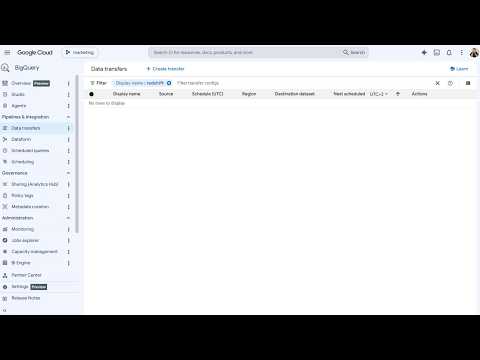
📺 Watch: How to Migrate Amazon Redshift to Google BigQuery - Cloudasta Tutorial
Why Do Redshift to BigQuery Migrations Go Wrong?
They go wrong in three predictable ways, and none of them is a tooling failure.
1. Full-scan habits get copied across
On a fixed-size Redshift cluster, a lazy SELECT * costs you nothing extra. On BigQuery on-demand, every scanned byte is billed. A pattern we see repeatedly is a startup that migrates 1:1, keeps its unpartitioned tables and wide queries, then watches the bill climb quarter on quarter. One pricing review suggests that partitioning, clustering and column pruning can reduce scanned bytes 10-100x. That is exactly the redesign a lift-and-shift skips. Redshift sort keys and distribution keys have no direct equivalent. You replace them with partitioning and clustering decisions based on how tables are actually filtered.
2. Silent semantic differences change your metrics
These are the dangerous ones, because nothing errors. The query runs and returns a plausible number. Three that bite finance logic:
- Integer division. In Redshift, dividing two integers truncates. In BigQuery, the division operator returns a float.
- NULL ordering. Redshift ranks NULLs as the highest values. BigQuery sorts them first in ascending order. Any ranking or first-value logic can flip.
- Timestamp types. BigQuery separates TIMESTAMP from DATETIME, and implicit casts that Redshift forgave are rejected or behave differently.
A simple example of why this matters for a payments or lending business:
-- Redshift: both columns are integers
SELECT settled_count / total_count AS settlement_rate
-- returns 0 for any rate below 100%

-- BigQuery: the same expression returns a float
-- the metric 'improves' overnight, with no error
We have seen a version of this turn into a leadership meeting about why a rate changed, when the only thing that changed was the engine. Automated SQL translation gets you most of the way, but a human has to review every query that feeds a financial metric.
3. Five definitions of the same metric get migrated intact
Another recurring pattern is the same metric showing different numbers in different dashboards, with finance saying one thing and operations another. If you migrate all of those dashboards unchanged, you have paid for a migration and kept the disagreement. A migration is the cheapest moment you will ever get to consolidate definitions into one governed SQL semantic layer. If you want the background on why that matters, our guide to the SQL semantic layer explains how a single metric definition removes the argument.
How Do You Run a Redshift to BigQuery Migration Step by Step?
The sequence matters more than the tooling. This is the order that has held up in delivery.
Step 1: Audit usage before you move anything
Pull 90 days of query history from Redshift (SYS_QUERY_HISTORY, or the older STL_QUERY views) and rank tables by how often they are actually read, by whom, and by which dashboards. In our experience, a meaningful share of tables in a fast-grown warehouse are never queried. Do not pay to migrate them. This also exposes the manually maintained or spreadsheet-fed tables that deserve to be rebuilt properly rather than copied.
Step 2: Define your metrics first
Write down the 15 to 25 metrics leadership actually uses: revenue, active customers, settlement rate, margin, and so on. Agree one definition for each, with an owner. These become the acceptance tests for the whole migration.
Step 3: Land the raw data
For the historical load, BigQuery Data Transfer Service has a Redshift connector, and the SQL translation service converts Redshift SQL. Use them. Keep the raw layer untouched, and transform only downstream.
Step 4: Rebuild transformations in dbt, not as translated stored SQL
This is where the savings are made. Rebuild models in dbt with explicit partitioning and clustering, incremental logic where tables are large, tests on keys and accepted values, and descriptions on every mart. Redshift UDFs need a decision: our comparison of dbt macros vs persistent SQL UDFs in BigQuery covers how to choose.
If you're looking to run a migration like this without stalling your roadmap, explore how Fintel Analytics approaches this. We work with growth-stage businesses globally to design and deliver exactly this kind of warehouse and dbt build.
Step 5: Run both warehouses in parallel
Run the old and new pipelines side by side through at least one full month-end close, not one clean week. Month-end is where late-arriving data, adjustments and currency conversions expose differences that a quiet week hides.
Step 6: Cut over team by team, then decommission on a date
Move finance, then operations, then product, rather than flipping everything at once. Put a hard shutdown date on Redshift. A cluster left running as a safety net quietly doubles your bill for months.
How Do You Validate a Migration So Finance Trusts the Numbers?
You validate in layers, and you document every difference you decide to accept. Trust is the real deliverable of a migration. If the head of finance has to ask whether the new numbers are right, the project has not finished.
The three layers we use:
- Structural checks. Row counts and key uniqueness per table, run as dbt tests against both sides.
- Aggregate checks. Daily sums and counts by key dimensions such as currency, product and entity. This catches the truncation and NULL-handling issues described earlier.
- Business checks. The 15 to 25 agreed metrics, calculated on closed periods in both systems, with a stated tolerance.
When two numbers differ, classify the cause: a bug in the new model, a bug in the old one, or an intended definition change. The second category is more common than teams expect. This is also where migrations create value beyond cost. In reconciliation work for fintech clients, we have rebuilt a process that took 30 to 50 minutes as an automated SQL pipeline that finishes in under 3 seconds, and a separate capital reconciliation uncovered a $25M discrepancy that had gone undetected, which at market borrowing rates was costing over $6,000 per day. Systematic reconciliation surfaces problems that years of spreadsheet checking never did, and a migration forces you to do it.
When it comes to reporting, the same applies. In one engagement, weekly executive reporting that took 90 minutes of manual work was replaced by a live dashboard, updated hourly, with zero manual effort. That only became possible because the underlying models were tested and trusted. If your BI layer is also up for review, our comparison of Holistics vs Looker for startups is a useful companion read, and we are an official Holistics partner.

What Should You Lock Down in the First 30 Days After Cutover?
Cost guardrails and access control, before the first surprising invoice. BigQuery's flexibility is also its main risk for a team used to a fixed cluster bill.
- Cap query cost per job. dbt's BigQuery profile supports a maximum bytes billed setting, so a bad query fails instead of charging you.
- Require partition filters on large tables. Our guide to finding tables missing the require_partition_filter guard shows how to audit this.
- Label dbt queries so you can attribute spend to models, teams and dashboards.
- Set project and user-level quotas so one runaway notebook cannot consume your month.
- Review IAM. Migrated projects often inherit over-broad grants from the first quick setup.
- Revisit storage billing. Compressed physical storage can be cheaper or dearer than logical depending on your data, as covered in our post on BigQuery logical vs physical storage.
After about 30 days of real usage, decide between on-demand and capacity pricing. Capacity pricing is generally positioned as the cheaper route for consistent, predictable usage. Choosing before you have data is guesswork. A pattern we see repeatedly is teams committing to slots in week one, then discovering their workload is far lighter than assumed.
Frequently Asked Questions
Q: How long does a Redshift to BigQuery migration take?
A: For a growth-stage company with a few hundred tables and a defined set of dashboards, plan on roughly one to three months including a parallel run. The timeline is driven less by data volume than by the number of business-critical metrics that need validating and how many undocumented queries feed them.
Q: Is BigQuery cheaper than Redshift?
A: Often, for bursty or ad hoc workloads at smaller scale. One 2026 comparison puts the break-even at around 45 TiB scanned per month on list prices. Above that, or for steady always-on workloads on AWS, Redshift can be cheaper. Your own query history is the only reliable test.
Q: What breaks most often when migrating from Redshift to BigQuery?
A: Silent semantic differences, not syntax errors. Integer division, NULL ordering, timestamp types and implicit casts can change metric values without any error being raised. Review every translated query that feeds a financial or executive metric.
Q: Can I migrate Redshift to BigQuery without downtime?
A: Yes. Run both warehouses in parallel, validate through at least one month-end close, then cut dashboards over team by team. Keep Redshift read-only until a fixed decommission date so you can fall back if needed.
Q: Do I need dbt for a Redshift to BigQuery migration?
A: You can migrate without it, but we would not. Rebuilding transformations in dbt gives you version control, tests, documentation and incremental models, which are what make the new warehouse cheaper and more trustworthy than the old one.
Conclusion
The challenge most teams face with a Redshift to BigQuery migration is not moving the data. It is moving it without carrying over the full-scan queries, conflicting metric definitions and unvalidated logic that made the old warehouse expensive and distrusted in the first place. At Fintel Analytics, we have helped fintech, payments and e-commerce companies audit their warehouses, rebuild transformations in dbt on BigQuery, and prove to finance that every number still reconciles. If a migration is on your roadmap, or you suspect it should be, an honest assessment of your query history will tell you quickly whether the move saves money or just relocates the problem.