 Fintel Analytics
Nested JSON in dbt BigQuery Staging: Fix the Anti-Pattern
Parsing nested JSON incorrectly in dbt BigQuery staging models is one of the most common — and most expensive — anti-patterns in modern analytics stacks. Here is how to find and fix it.
Nested JSON in dbt BigQuery staging models is expensive to get wrong — and almost everyone gets it wrong at least once. The mistake typically looks innocent: a raw source table lands with a JSON string column or a deeply nested STRUCT, and an analyst writes a staging model that parses every field from it on every run. Within weeks, that single model is scanning gigabytes it does not need to, producing metric columns that silently drift when the upstream schema changes, and blocking every downstream model that depends on it from ever being fully trusted.
This post is about that specific failure pattern: how it starts, why it compounds faster than most teams expect, and exactly how to restructure your dbt staging layer so it does not happen to you.
Why Nested JSON Lands in Your BigQuery Raw Layer in the First Place
If you work with webhook ingestion, payment provider APIs, event streams, or any third-party SaaS connector, you already know the answer. Raw payloads arrive as JSON. Your ingestion layer — whether that is Fivetran, Airbyte, a custom Cloud Function, or a Pub/Sub pipeline — typically lands those payloads into BigQuery either as a native JSON column, a STRING column containing a JSON blob, or as a deeply nested ARRAY OF STRUCT that the connector has partially denested for you.
The problem is not that the data is nested. BigQuery is genuinely well-designed for nested and repeated data — nested structures keep related data physically close on disk, reducing I/O and improving cache efficiency, which means queries execute faster and cost less because you process fewer bytes. The problem is what happens when your dbt staging model treats that nested structure carelessly.
A pattern we see repeatedly in early-stage fintech and e-commerce companies: the raw events table from a payment gateway or analytics SDK arrives with an event_params column — an ARRAY OF STRUCT with dozens of key-value pairs. The staging model does something like this:
SELECT
  event_id,
  event_timestamp,
  ep.key,
  ep.value.string_value
FROM raw.events,
UNNEST(event_params) AS ep
This unnests every single key-value pair from every event, every time the model runs. If you have 50 event parameters per event and 10 million events in your table, you have just manufactured 500 million rows in your staging model — and every downstream model that references this now pays for that explosion.

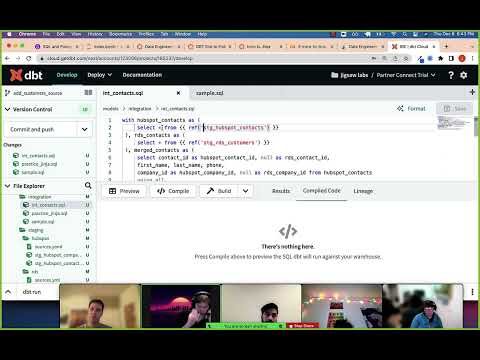
📺 Watch: 12-8-dbt-jinja
The Three Ways This Anti-Pattern Breaks Your Stack
1. Silent Row Multiplication Inflates Every Downstream Metric
When you UNNEST without filtering to specific keys, your staging model outputs one row per array element rather than one row per event. Any downstream model that joins on event_id without being aware of this will produce fan-out joins — inflated counts, doubled revenue figures, and aggregates that are simply wrong. The numbers are internally consistent (they always add up), which is exactly why nobody notices for weeks. Finance says revenue is up, the dashboard agrees, and then someone manually checks the source system and finds a 40% discrepancy.
In our work with growth-stage companies, this is one of the most common sources of the "my dashboards show different numbers" problem. The root cause is not a dashboard configuration issue — it is a structural flaw in the staging layer that has been quietly multiplying rows since the first deployment.
2. Repeated Full-Table JSON Parsing Burns Your BigQuery Budget
Unnecessary unnesting increases the amount of data processed, which directly increases cost. When your staging model materialises as a view and downstream models reference it repeatedly, BigQuery re-executes the unnest and JSON extraction logic on the full source table every single time. If that source table is partitioned but your staging model does not push a partition filter through the unnest (which dbt views cannot do by default), you are scanning the entire table on every downstream query.
Inefficient use of UNNEST can significantly increase data processing — the best practice is to only unnest the fields you need and avoid flattening entire arrays unless necessary. The cost implication is non-trivial. A fintech startup we worked with had a staging view over a webhook events table that was being referenced by eleven downstream models. Each of those models was triggering a full UNNEST of a 200GB table on every run. Their daily BigQuery bill for that single staging model exceeded what they were spending on the entire rest of their warehouse.
3. Schema Drift in the Source JSON Breaks Models Silently
The third failure mode is the most insidious. When your staging model uses JSON_VALUE(payload, '$.some.nested.path') or extracts specific struct fields, it works perfectly — until the upstream provider changes their payload schema. A field gets renamed, a new nesting level is introduced, or a previously guaranteed key starts arriving as null for a subset of events.
Many data engineers spend significant time manually writing JSON_VALUE, UNNEST, and SAFE_CAST queries just to get nested event data into a usable state in BigQuery — and a large proportion of data engineering time ends up being spent fixing broken pipelines when a schema changes. Without a validation layer at the staging boundary, those breaks propagate silently downstream. Your dbt tests do not fire because the field still exists — it just contains null where it previously contained revenue amounts. Metrics degrade quietly and nobody finds out until a finance review two weeks later.
If you are looking to build a staging layer that handles JSON schema evolution reliably and does not silently corrupt downstream models, explore how Fintel Analytics designs and delivers production-grade dbt pipelines — this is exactly the class of problem we solve for growth-stage businesses every week.
How to Detect This Anti-Pattern in Your Existing dbt Project
Before you fix anything, you need to know where the problem lives. Run this query against your BigQuery INFORMATION_SCHEMA to identify staging models (views) that reference tables with known JSON or nested columns, and check which of them are being scanned most frequently:
SELECT
  referenced_table.table_id AS source_table,
  COUNT(DISTINCT job_id) AS query_count,
  ROUND(SUM(total_bytes_billed) / POW(10, 9), 2) AS total_gb_billed,
  ROUND(SUM(total_bytes_billed) / POW(10, 9) * 0.006, 2) AS estimated_cost_usd
FROM
  `region-us.INFORMATION_SCHEMA.JOBS_BY_PROJECT`,
  UNNEST(referenced_tables) AS referenced_table
WHERE
  creation_time >= TIMESTAMP_SUB(CURRENT_TIMESTAMP(), INTERVAL 7 DAY)
  AND statement_type = 'SELECT'
GROUP BY 1
ORDER BY total_gb_billed DESC
LIMIT 20;
Cross-reference the top results against your dbt DAG. If the heaviest-scanned tables are your raw source tables — not your intermediate or mart models — that is a strong signal that your staging layer is not materialising enough. Views that repeatedly re-parse raw JSON against large unbounded tables will always appear here.
Next, grep your dbt project for these patterns:
UNNEST(
JSON_VALUE(
JSON_EXTRACT(
JSON_QUERY(
Any staging model (files in your models/staging/ directory) that contains these functions should be reviewed immediately. The question to ask for each one: is this model materialised as a view, and does it reference a source table that is large or growing rapidly?
For a deeper look at related lineage blind spots in your dbt DAG, the post on dbt Source Fan-Out in BigQuery covers how repeated references to a single source cascade into compounding scan costs — often in combination with the JSON parsing patterns described here.

The Fix: A Three-Layer JSON Normalisation Strategy
The correct approach separates the JSON parsing concern into three clearly bounded layers.
Layer 1 — Raw Staging (Validate and Preserve)
Your first staging model should do almost nothing except validate that the raw payload arrived and type-cast the container column. Do not extract individual fields here. Materialise this as a table with appropriate partitioning on the ingestion timestamp:
-- models/staging/raw/stg_raw__events.sql
{{ config(
  materialized = 'incremental',
  partition_by = {'field': 'ingested_at', 'data_type': 'timestamp', 'granularity': 'day'},
  on_schema_change = 'append_new_columns'
) }}

SELECT
  event_id,
  ingested_at,
  payload  -- preserve raw JSON intact
FROM {{ source('raw', 'events') }}
{% if is_incremental() %}
WHERE ingested_at > (SELECT MAX(ingested_at) FROM {{ this }})
{% endif %}
This model is incremental, partition-filtered, and cheap to run. It is the only model that touches your raw source table.
Layer 2 — Parsed Staging (Extract Only What You Need)
Your second model extracts specific, named fields from the preserved JSON. It references Layer 1 — never the raw source directly. It materialises as a table:
-- models/staging/parsed/stg__events_parsed.sql
{{ config(materialized = 'incremental', ...) }}

SELECT
  event_id,
  ingested_at,
  SAFE_CAST(JSON_VALUE(payload, '$.event_type') AS STRING) AS event_type,
  SAFE_CAST(JSON_VALUE(payload, '$.user_id') AS STRING) AS user_id,
  SAFE_CAST(JSON_VALUE(payload, '$.amount') AS NUMERIC) AS amount_minor_units,
  SAFE_CAST(JSON_VALUE(payload, '$.currency') AS STRING) AS currency_code
FROM {{ ref('stg_raw__events') }}
{% if is_incremental() %}
WHERE ingested_at > (SELECT MAX(ingested_at) FROM {{ this }})
{% endif %}
Note the SAFE_CAST wrappers — not CAST. When source JSON schema drifts and a field returns an unexpected type, SAFE_CAST returns null rather than failing the entire model run. You can write a dbt test to alert on unexpected nulls without breaking production.
Layer 3 — UNNEST at the Intermediate Layer, Not Staging
If your source contains repeated fields (arrays of structs — for example, line items on a transaction), do not unnest in staging. Preserve the array through Layers 1 and 2, and explode it in an intermediate model whose sole purpose is to produce the one-row-per-array-element output that downstream fact models need:
-- models/intermediate/int__transaction_line_items.sql
{{ config(materialized = 'table') }}

SELECT
  t.transaction_id,
  t.ingested_at,
  li.product_id,
  li.quantity,
  li.unit_price_minor_units
FROM {{ ref('stg__transactions_parsed') }} t,
UNNEST(t.line_items) AS li
This model has one job. Its output has known row cardinality. Every downstream model that references it understands it produces one row per line item, not one row per transaction. The fan-out is intentional and documented — not accidental.
This three-layer approach directly addresses the cost and correctness failures described earlier. We have seen this restructuring cut weekly dbt run costs by over 60% in projects where the original staging layer was doing unbounded JSON parsing against raw source tables on every run.
What Good Looks Like: A Real-World Outcome
A global payments company came to us with a dbt project where a single staging model was responsible for the majority of their BigQuery bill. The model unnested a webhook payload table — approximately 180GB of raw event data — on every run, without partition filters and without materialisation. Eleven downstream models referenced it as a view, each triggering a fresh full-table scan.
We rebuilt the staging layer using the three-layer pattern above: an incremental raw staging model, a parsed staging model extracting 14 specific fields, and two intermediate models handling the array explosion for line items and fee breakdowns separately. The result was a reduction in bytes scanned per dbt run of over 85%. Downstream model run time dropped from 22 minutes to under 4 minutes. And because the parsed staging model was now a physical table with dbt tests on every extracted column, the team caught a provider schema change within hours rather than after two weeks of silent null propagation.
This mirrors a pattern we have seen across multiple engagements: migrating calculations and extraction logic from ad-hoc views into properly structured, tested dbt models eliminates a class of recurring errors and reduces the operational burden on the data team significantly.
Frequently Asked Questions
Q: Should I always materialise dbt staging models as tables rather than views?
A: Not always — but any staging model that parses JSON, unnests arrays, or references a large and growing source table should be materialised as an incremental table with partition filters. Views are appropriate only for lightweight type-casting or renaming on small, stable sources. When in doubt, check your INFORMATION_SCHEMA.JOBS_BY_PROJECT to see how many bytes are being billed against the underlying source.
Q: What is the safest way to handle JSON schema changes in dbt BigQuery staging models?
A: Use SAFE_CAST for all JSON field extractions so that unexpected type changes return null rather than failing the run. Add dbt not_null tests on critical fields with a severity of warn (not error) so you get alerted without blocking downstream models. Add on_schema_change = 'append_new_columns' to incremental models so that new fields in the source do not cause model failures.
Q: How do I unnest nested JSON arrays in dbt BigQuery without causing row multiplication downstream?
A: Push the UNNEST into a dedicated intermediate model whose output schema explicitly documents that it produces one row per array element. Never unnest in a staging model that other models reference without understanding the row cardinality change. Name intermediate models clearly — int__transaction_line_items rather than stg__transactions — so downstream authors know what they are joining on.
Q: Why does my dbt staging view over a partitioned BigQuery table scan the whole table?
A: BigQuery can only use partition pruning when the filter on the partition column appears in the final query that hits the physical table. When you wrap a partitioned table in a dbt view and a downstream model filters on the staging view's timestamp column, BigQuery cannot always push that predicate through the view to the underlying partition. The fix is to materialise the staging model as an incremental table so that partition pruning happens at write time, not query time.
Q: What is the performance difference between JSON_VALUE and JSON_EXTRACT in BigQuery dbt models?
A: JSON_VALUE returns a scalar string and is generally faster and cheaper than JSON_EXTRACT (which returns a JSON fragment). For extracting individual primitive fields, always prefer JSON_VALUE. If you need to extract a sub-object for further parsing, use JSON_QUERY. Avoid calling either function multiple times against the same JSON column in the same model — use a single CTE to parse all required fields in one pass rather than re-reading the JSON blob for each column independently.
At Fintel Analytics, we have rebuilt staging layers exactly like the ones described in this post for fintech companies, payment platforms, and e-commerce businesses — teams that did not know their dbt project had a structural flaw until their BigQuery bill doubled in a single quarter or a finance director questioned why revenue figures differed between dashboards. If your staging layer is touching raw JSON, nested structs, or webhook payloads and you have not stress-tested its materialisation strategy, that is a risk worth quantifying before it quantifies itself on your cloud invoice.