 Fintel Analytics
dbt Cross-Dataset Joins in BigQuery: Fix the Silent Scan
When dbt models join across BigQuery datasets, partition pruning silently breaks — and your bill triples. Here's how to find and fix it.
The Short Answer
When dbt models join across BigQuery dataset boundaries — either across datasets in the same project or across GCP projects — partition pruning can silently break. BigQuery scans the full table instead of the partition you expect, and unless you are watching bytes-processed metrics closely, you will not notice until your bill arrives. The fix requires both a materialisation strategy change and a deliberate approach to how you reference across boundaries.
This is one of the most common silent cost leaks we see in growth-stage dbt projects on BigQuery. The team ships models that look correct, tests pass, dashboards update — and meanwhile a routine dbt run is scanning hundreds of gigabytes it should never touch.
Why Does Partition Pruning Break Across Dataset Boundaries?
BigQuery's partition pruning works by evaluating filter predicates at query planning time. When the planner can see the full query — source tables, filters, join conditions — it can calculate which partitions to skip before a single byte is read. This works beautifully inside a single model or a single CTE chain.
The problem surfaces when you introduce a dbt ref() that resolves to a view, or a cross-dataset reference that forces BigQuery to treat the input as opaque. Here is what happens in practice:
You have a partitioned table raw_project.raw_dataset.transactions partitioned on event_date. Your dbt staging model materialises as a view over that table — the default materialisation for most staging layers. Your mart model then joins against the staging view with a WHERE event_date = DATE_SUB(CURRENT_DATE(), INTERVAL 1 DAY) filter.
Logically, you expect BigQuery to push that filter through the view and prune partitions at the source. In many cases, it does. But when the view itself lives in a different dataset or a different GCP project to the raw table it references, the query planner's ability to push predicates through that boundary is not guaranteed. The result: a full table scan at the source, regardless of the partition filter sitting three layers up in the DAG.
This is not a bug in dbt. It is a combination of how BigQuery resolves cross-dataset view chains and how partition pruning is scoped at the job level. But it is a dbt architecture decision that quietly determines whether your models are $0.01 jobs or $12.00 jobs — at scale, that difference compounds fast.
BigQuery costs depend on how much data a query scans, not how long it runs — a poorly written query or a missing filter can significantly increase your bill, even if the job completes quickly. When partition pruning silently fails, you are paying for exactly that: a filter that is present in the SQL but not applied at the storage layer.

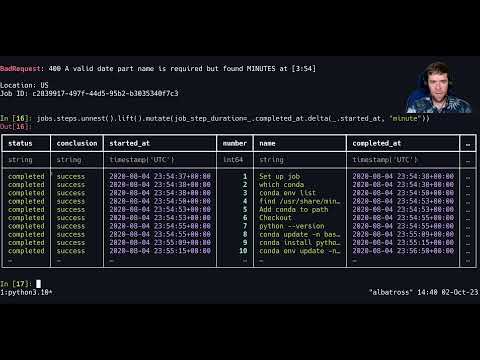
📺 Watch: BigQuery + Ibis: Unnest is Finally Here
How to Detect the Problem in Your dbt Project
The first signal is almost always a dbt model that runs longer than it should and costs more than expected. The second signal — the one most teams miss — is that the model produces correct results. Because the scan is complete, there are no data errors. Tests pass. Numbers look right. The only symptom is bytes processed.
Step 1: Run the suspect model and check bytes billed
After a dbt run, query INFORMATION_SCHEMA.JOBS_BY_PROJECT to surface the bytes processed per job:
SELECT
  job_id,
  query,
  total_bytes_processed,
  total_bytes_billed,
  ROUND(total_bytes_billed / POW(1024,4) * 6.25, 4) AS estimated_cost_usd,
  creation_time
FROM `region-us`.INFORMATION_SCHEMA.JOBS_BY_PROJECT
WHERE job_type = 'QUERY'
  AND creation_time >= TIMESTAMP_SUB(CURRENT_TIMESTAMP(), INTERVAL 24 HOUR)
ORDER BY total_bytes_billed DESC
LIMIT 20;
If a model that should be reading a single day's partition is billing terabytes, you have found your leak. Cross-reference the query field against your dbt-generated SQL to confirm which model is responsible.
Step 2: Check whether the staging layer is a view or a table
This is the key architectural question. Open your dbt_project.yml and check the materialisation config for your staging models:
models:
  your_project:
    staging:
      +materialized: view   # <-- this is the default and the source of the problem
If your staging models are views sitting over partitioned source tables in a different dataset, every downstream mart that joins through those views is a potential full-scan victim.
Step 3: Confirm pruning failure using the Execution Details panel
In the BigQuery console, open the job details for the suspect query and click Execution Details → Query Plan. Look at the input stage for your partitioned source table. If the "Input Rows" figure matches the total row count of the table rather than the expected single-partition row count, partition pruning has failed. This is definitive.
What Actually Causes the Pruning Failure: The Three Patterns
In our work with early-stage companies scaling their dbt projects on BigQuery, we see three specific patterns that trigger cross-dataset scan failures. They look different on the surface but share the same root cause: the query planner cannot see through the boundary between where the filter lives and where the partitioned data lives.
Pattern 1: Staging views over raw tables in a separate dataset
This is the default setup for most dbt projects. Staging models are views. Raw data lives in a raw dataset (or a separate GCP project managed by a data ingestion tool like Fivetran or Airbyte). Mart models filter on a date column. The planner treats the staging view as an opaque subquery and cannot guarantee pruning across the dataset boundary.
The fix: materialise high-volume staging models that feed date-filtered marts as tables or incremental models, not views. This forces BigQuery to store the result, and downstream joins work against a physical table where partition pruning functions correctly.
Pattern 2: ref() resolving to a view in a different GCP project
This is more common than it should be, and it is a direct consequence of teams scaling into multi-project architectures without adjusting their materialisation strategy. When a dbt model in project-analytics uses {{ ref('stg_transactions') }} and that staging model resolves to a view in project-raw, the cross-project boundary makes predicate pushdown unreliable.
If you are running a multi-project dbt setup, see our detailed guide on dbt Multi-Project Architecture in BigQuery: Split It Right for the full architecture decision framework. The materialisation choices you make at that boundary are where the cost is determined.
Pattern 3: Non-deterministic functions in filter predicates preventing cache and pruning
A closely related failure mode: if the filter expression used to select partitions contains a non-deterministic function — CURRENT_DATE(), NOW(), RAND() — BigQuery cannot evaluate the predicate at plan time, which means it cannot prune partitions before execution. We have covered this specific issue in depth in our post Non-Deterministic Functions in dbt BigQuery: Why Your Cache Never Hits. In the context of cross-dataset joins, the two failure modes compound: the planner cannot push through the boundary and it cannot evaluate the filter expression, producing a guaranteed full scan.

How to Fix It: The Materialisation Decision Framework
The fix to cross-dataset partition pruning failures is not a one-liner. It is an architecture decision about where you materialise intermediate results. Here is the framework we use when auditing dbt projects for exactly this problem.
For staging models that feed high-volume, date-filtered marts:
Materialise as table with partition configuration matching the source:
{{ config(
    materialized='table',
    partition_by={
        "field": "event_date",
        "data_type": "date",
        "granularity": "day"
    },
    cluster_by=["merchant_id", "currency"]
) }}
This gives downstream models a physical, partitioned, clustered table to join against. Clustering works alongside partitioning by physically sorting data within each partition — when queries filter or join on those columns, BigQuery can skip entire blocks of data it does not need to read. The result is that your mart models scan only the partitions and blocks they need, regardless of where the staging model lives in the project hierarchy.
For staging models over append-only event logs:
Materialise as incremental with a partition filter. This is the most cost-effective long-term option for large, fast-growing tables. Rather than rebuilding entire tables every time a model runs, incremental models only process new or updated data — saving time and compute. The combination of incremental materialisation, partition alignment, and clustering is the standard pattern for production-scale dbt projects on BigQuery.
For staging models over small reference tables:
Leave as views. If the table has fewer than a few million rows, the cost of a full scan is negligible and the operational simplicity of a view outweighs the risk. The cross-dataset pruning issue only becomes material when the source table is large — typically above 10GB of logical storage.
For cross-project references in multi-project architectures:
Create materialised intermediate models at the project boundary. The producing project materialises its outputs as tables. The consuming project references those physical tables via source() (not ref()) with explicit project and dataset qualifiers. This makes the boundary explicit in the DAG and ensures the consuming project always joins against physical, prunable tables.
If you are exploring how to assign dbt query labels for cost attribution across these project boundaries, that visibility layer is essential before you can reliably diagnose which cross-dataset models are responsible for your highest-cost jobs.
If you are working through this kind of audit in your own environment, explore how Fintel Analytics approaches dbt and BigQuery optimisation — we have worked through this exact problem with payments, e-commerce, and SaaS clients globally, and the materialisation audit is typically the single highest-ROI engagement we run.
What Does This Actually Cost? Real Numbers
On-demand BigQuery pricing is $6.25 per terabyte scanned. At that rate, the cost of cross-dataset scan failures is not abstract.
Consider a typical Series A payments company running a dbt pipeline that joins daily transaction data across a staging view in their raw dataset and a merchant reference table in their analytics dataset. Their transactions table holds 18 months of data — approximately 400GB of logical storage. A mart model runs this join twice daily with a WHERE event_date = DATE_SUB(CURRENT_DATE(), INTERVAL 1 DAY) filter.
With partition pruning working correctly: ~2GB scanned per run (one day's partition). Cost per run: ~$0.01. Monthly cost for this model: ~$0.60.
With partition pruning silently broken: ~400GB scanned per run. Cost per run: ~$2.50. Monthly cost for this model: ~$150. Across a pipeline with ten similar models, that is $1,500 per month in entirely avoidable spend.
Because billing is tied to bytes scanned rather than query count or runtime, a single poorly written query run against a large table can leave you with a shockingly large bill.
A pattern we see repeatedly: a startup's BigQuery bill triples in the quarter after they migrate their raw data pipeline from a monolithic ETL to a separate ingestion project. Nothing in the dbt codebase changed. The partition filters are still there. But the new project boundary broke pruning silently, and the team does not discover it until they run a cost attribution query three months later.
We rebuilt one such pipeline for a global fintech — migrating their staging materialisation strategy from views to partitioned incremental models across a two-project boundary. The dbt run time for their daily pipeline dropped from 22 minutes to under 4 minutes, and their monthly BigQuery spend fell by over 60% with no change to the downstream business logic.
Frequently Asked Questions
Q: Does dbt's ref() function always break partition pruning in BigQuery?
A: No — ref() only breaks partition pruning when the referenced model is materialised as a view and that view sits in a different dataset or GCP project to the partitioned source table. When the referenced model is a table or incremental model, BigQuery joins against a physical object and pruning works normally.
Q: How do I tell if my BigQuery dbt models are scanning full tables instead of pruning partitions?
A: Query INFORMATION_SCHEMA.JOBS_BY_PROJECT for total_bytes_billed after a dbt run. Compare the bytes billed against the expected partition size. Also check the BigQuery Execution Details panel for the job — the input row count at the source stage should match one partition's row count, not the full table's.
Q: Should I materialise all my staging models as tables to fix this?
A: Not necessarily. Only staging models that feed high-volume, date-filtered downstream models require table or incremental materialisation to preserve pruning. Small reference tables and low-volume staging models are fine as views. Apply the fix where the cost is material.
Q: Does this problem affect slot-based (capacity) BigQuery pricing too?
A: Yes, though differently. Under capacity pricing, bytes scanned do not directly drive cost — slot consumption does. But full table scans consume dramatically more slots and take longer to execute, increasing concurrency pressure and potentially triggering autoscaling. The fix improves both cost and query runtime regardless of pricing model.
Q: Can BigQuery Authorized Views solve the cross-dataset pruning issue?
A: Partially. Authorized views remove the access control barrier that can sometimes prevent predicate pushdown across datasets. But they do not guarantee pruning if the view logic itself prevents it — for example, if the view includes non-deterministic functions or complex transformations that the planner cannot evaluate at plan time. Materialising as a table remains the most reliable fix.
Cross-dataset partition pruning failures in dbt BigQuery projects are almost always silent — the data is correct, the tests pass, and the bill grows quietly in the background until someone pulls a cost attribution query and finds the smoking gun. At Fintel Analytics, we have diagnosed and fixed this exact problem for payments companies, e-commerce platforms, and SaaS businesses running dbt on BigQuery, typically uncovering the root cause within a single working session and delivering a materialisation strategy that cuts scan volumes by 60–80%. If your BigQuery bill has grown faster than your data volume, this is almost certainly where to look first.